ContentsGive fields units and write your first formula
Give fields units and write your first formula
Give a number field a unit, add a Calculated field, write a formula that checks units, and see the result in both systems.
Before you start
- You need the Admin role, or Engineering with Confidential visibility: they add and change fields.
- You need a table. See Create a table. A few records with values make the preview useful.
- The example is a vertical sump pump table. Setting depth is entered in inches, and Minimum pit depth adds 6 in of clearance under it.
Steps
-
Open Fields under Data model in the sidebar, and pick your table in the Tables list.
-
Click Add field, then the Number tile. Type the name
Setting depth. The dialog's footer shows the key formulas use,setting_depth. -
Under Unit, pick in in the Length group. The line below shows a sample in both systems,
1 in · 25.4 mm, and Change picks other display units. Click Create field.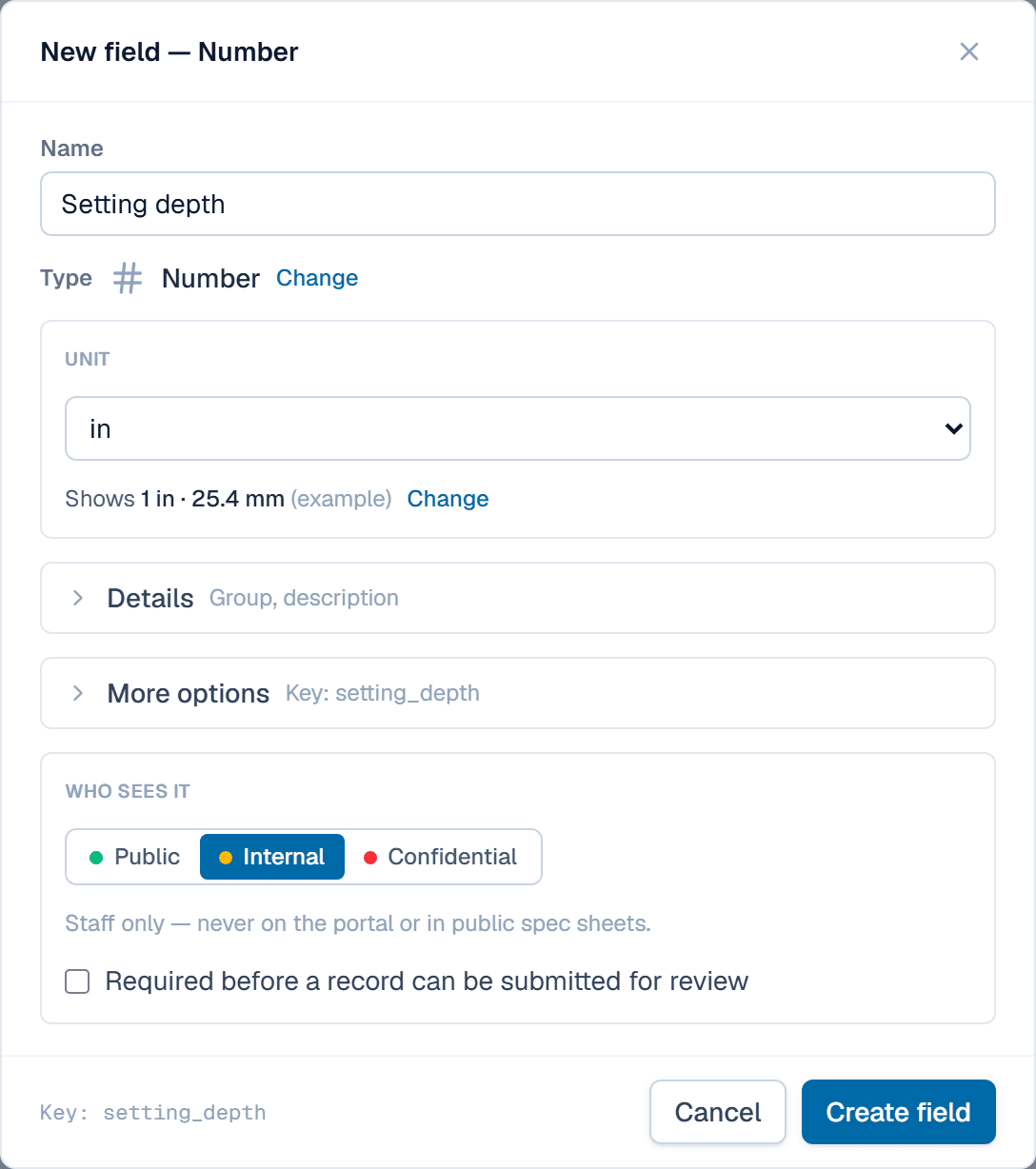
Pick the unit you enter values in; the sample line shows both systems. -
Click Add field again and pick the Calculated tile. Name it
Minimum pit depth. -
In Formula, type
settand pick Setting depth from the list; its key goes into the formula. Finish it assetting_depth + qty(6, "in"). The Insert menu lists your fields, your functions, reference tables and math functions. -
Read the line under the editor. Here it says Returns Length · stored in, followed by a unit; pick in if it shows another. A red message instead means the formula mixes kinds of value, and it says how to fix it.
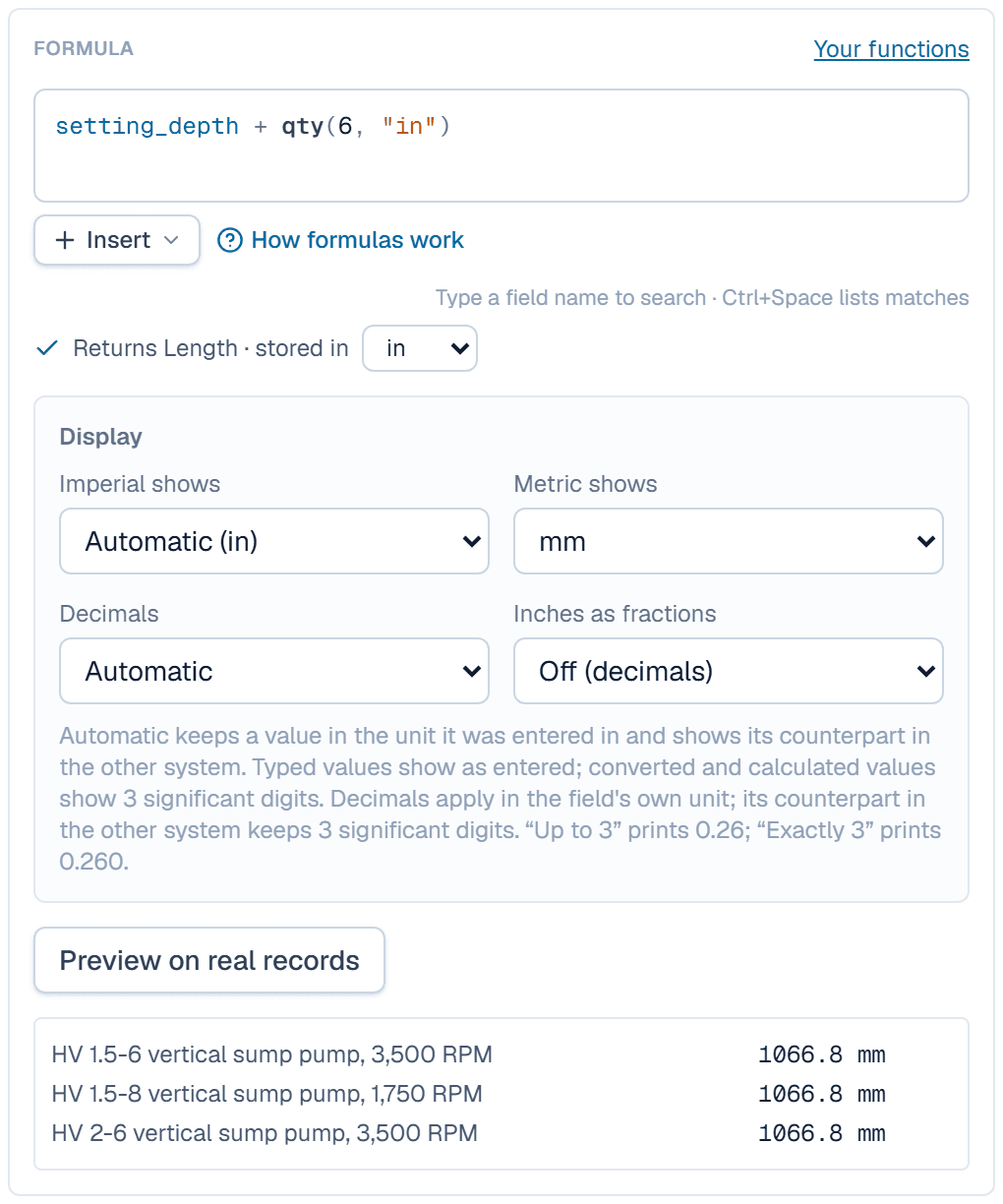
The checker says what the formula returns; the preview shows it on real records. -
Click Preview on real records to check a few results, then Create field.
What happens after
SpecLatch computes the new field for every record in the table, and recomputes it when Setting depth changes. A pump with a 36 in setting depth shows 42 in, with a small ƒ beside it. Spec sheets print it as 42 in (1,067 mm). New fields start as Internal; the next article shows how to choose who sees them.
Related
| Concept | Units & formulas |
| How-to | Create a table and its fields |
| How-to | Import a spreadsheet |