ContentsDocuments & the designer
Documents & the designer
Spec sheets and catalogs printed from live data, the templates that shape them, and the library that holds every file.
What to know first
Printed from live data
Templates shape the page
One library
Stale means out of date
Branding and languages
In this topic
- How-toGenerate a spec sheet PDFPrint one record as a branded PDF from its record page, in the language and visibility you choose.10 min
- How-toDesign a templateLay out your own spec sheet in the page designer, then assign it to tables so their records print with it.8 min
- How-toPrint a catalog and set your brandingChoose which published records a catalog prints, generate it from the grid, and set the logo, colors and footer your documents and portal share.6 min
- How-toDocuments in other languagesPrint spec sheets and catalogs in French or Spanish from the same templates: translate your labels and texts once, then pick the language when you generate.5 min
Where you see it
- A record page: the Spec sheet menu.
- A table's grid: the Export menu, for the catalog and all the table's sheets.
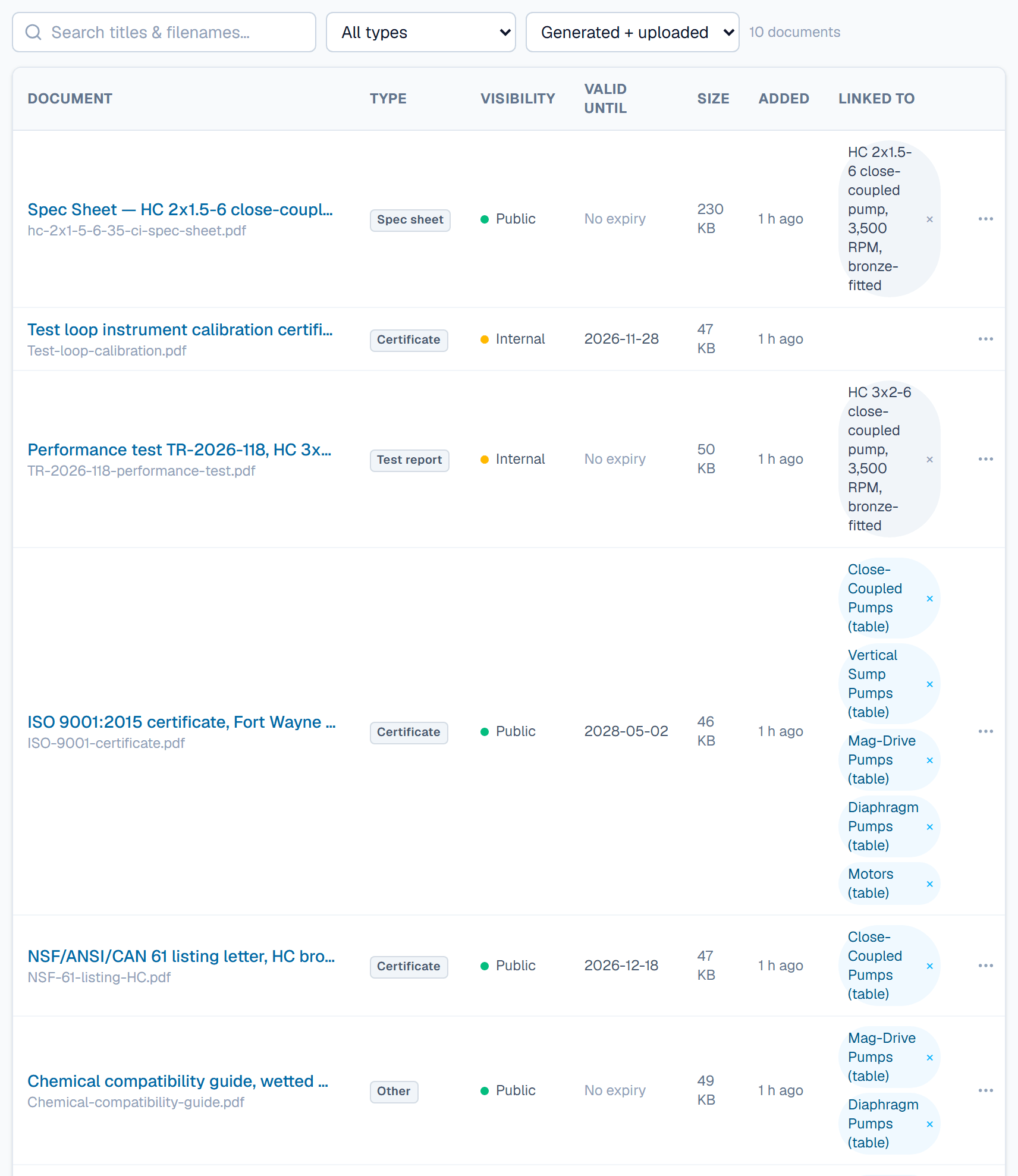
- Documents: every file, with a stale tag where out of date.
- Templates: Open in a template's menu starts the designer.
- Document categories and Branding, in Settings.
- Dashboard: the Documents out of date card.
An example
Take a table of 15 pressure gauges. The default template prints the 0–160 psi KP45 gauge with its range, 160 psi (11.0 bar), and weight, 2.4 lb (1.1 kg). The catalog template "KP45 standard ranges" lists 14 gauges. The 0–5,000 psi model is still In review, so it stays out.
FAQ
What does stale mean on a document?
A generated PDF is stale when the data it printed changed after it was generated. A spec sheet is stale when its record is Published and has changed since; previews of unpublished records are not checked. A catalog is stale when its table's name or description changed, or one of its Published records changed. It is also stale when a record was published or returned to Draft since, or when a field's visibility changed, because that changes which fields a sheet prints. Each current PDF is checked on its own, so a French or Internal sheet stays flagged after an English Public one is refreshed.
How do I refresh a stale document?
Generate it again from the record's Spec sheet menu or the grid's Export menu. The new PDF replaces the old one with the same template, language and tier. Regenerate all on the dashboard card queues a new PDF for each one you can see, with the template, language and visibility it was made with. A PDF in a language or a catalog your plan no longer includes is skipped. An Admin can also turn on Regenerate a record's spec sheet when it's published under Automations.
Why is my spec sheet watermarked?
A record that is not Published gets a Draft preview (watermarked) instead of the final sheet. The preview is filed as Internal, so it stays off the portal. Publish the record, then generate the sheet again.
Which plans include catalogs and other languages?
Spec sheets work on every plan. Catalog PDFs, and documents in a language other than your default, need the Growth plan and up.
Who can generate and design documents?
Admin, Engineering and Marketing members can generate PDFs and edit templates. Viewer members can open the generated sheets at or below their visibility. Only an Admin can change the branding.
Related
| How-to | Generate a spec sheet PDF |
| Concept | Confidentiality & review |
| Concept | Portal & API |