ContentsSave a view for your team
Save a view for your team
Keep a table's filters, sorts, grouping and columns under a name, for yourself or for everyone, and switch to it in one click.
The grid you need for a task is rarely the default one: the pumps with more than 100 ft of head, highest flow first, or the drafts still missing a price. Setting that up again each time takes a dozen clicks. A saved view keeps the setup under a name, so you get it back from one menu, and a shared view gives the whole team the same list.
What a view keeps
- The filters, sorts and grouping.
- The columns: which ones show, their order and widths, how many stay frozen, and the summaries in the footer row.
A view belongs to one table. It doesn't keep the search text, and every table opens on Default view, so you pick a saved view from the view menu.
A view is either yours alone or shared with everyone in the organization. In a shared view, each person still sees only the fields their own visibility allows.
Before you start
- Anyone can save a view for themselves.
- To share one, you need the Admin role, or Engineering with Confidential visibility.
Set up the grid
- Open the table from Tables.
- Click Filter, then Add condition. Pick Head at BEP, then >, and type
100. - Click Sort, then Add sort level. Pick Flow at BEP and click A → Z so it reads Z → A, highest first.
- If you like, hide or reorder columns with Columns.
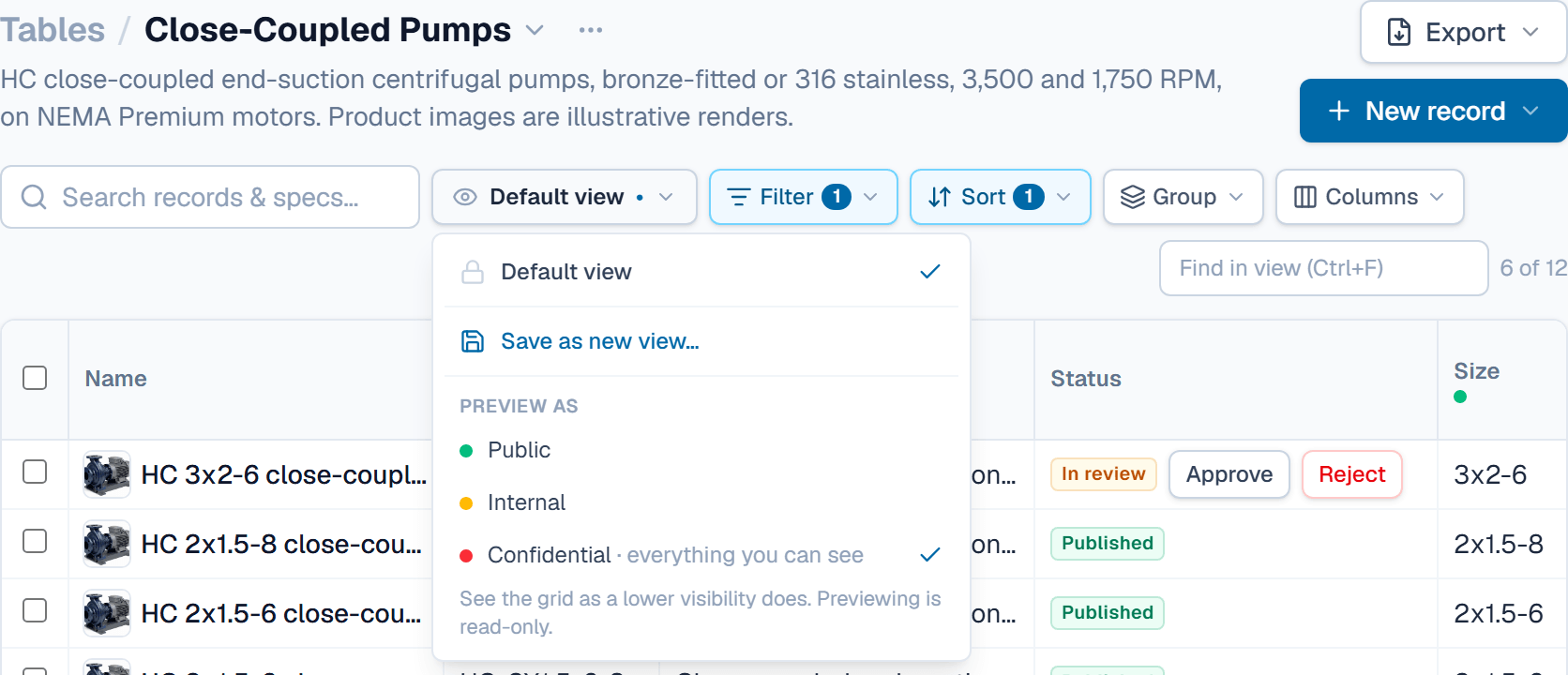
The view menu's button, which reads Default view, now shows a dot: the grid has changes that no view holds yet.
Save it
- Click the view menu and choose Save as new view….
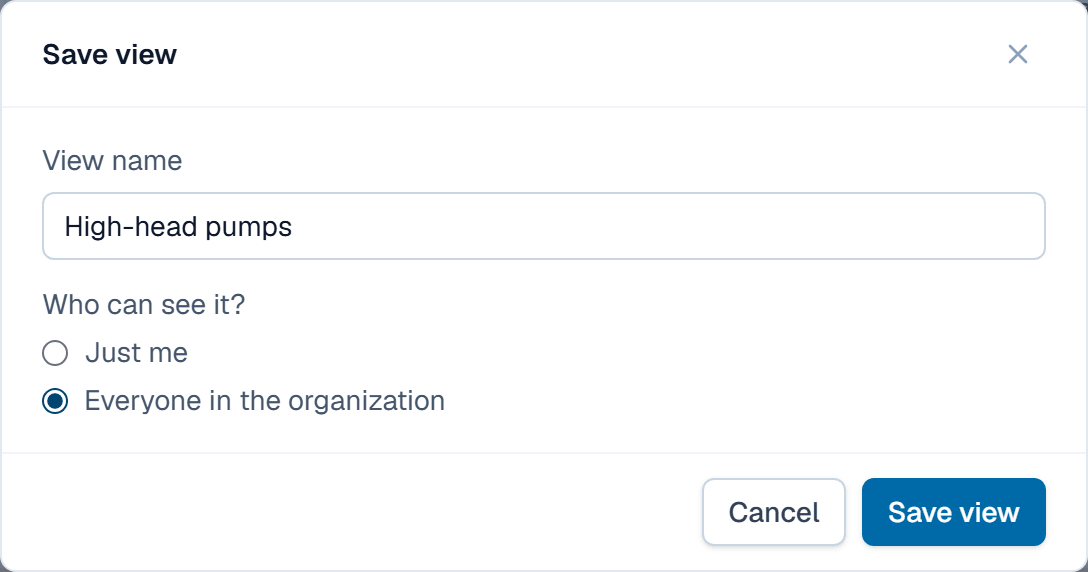
- Type a name, such as High-head pumps.
- Under Who can see it?, keep Just me, or pick Everyone in the organization to share it.
- Click Save view.
Change, rename or delete a view
- To keep a change to a saved view, choose Save changes to “High-head pumps” in the view menu. Without it, the change lasts until you leave the table.
- To rename or delete a view, hover it in the view menu and click the pencil or the bin. Deleting a view never changes records, but a shared view disappears for everyone.
You can change your own views. Shared views can be changed by anyone who can share.
What happens after
The view appears in that table's view menu, with a person icon if it is yours alone or a globe if it is shared. Pick it to bring the grid back as you saved it.
Related
| Concept | Records & the grid |
| How-to | Paste from a spreadsheet |
| How-to | Set a field's confidentiality tier |