ContentsDocuments in other languages
Documents in other languages
Print spec sheets and catalogs in French or Spanish from the same templates: translate your labels and texts once, then pick the language when you generate.
Customers abroad read your sheets in their own language, and keeping a French copy of every template would double the upkeep. SpecLatch keeps one template instead: you pick the language when you generate, and the same template prints in English, French or Spanish. You translate your own words once, on one page, and every document reuses them.
What gets translated
A document mixes two kinds of words.
- Words SpecLatch adds itself, such as Yes, No and the draft watermark, come translated. Numbers and dates follow the language too: a French sheet writes 1 234,5 where an English one writes 1,234.5, and puts the metric unit first, such as m³/h before GPM.
- Your words come from the translations you enter: table names, field labels, field group headings, choice values, chart titles and axis labels, record descriptions, Several lines text, and text typed on a template.
Anything you haven't translated prints in English, so a half-translated sheet stays readable. Record names, model numbers, One line text and your branding footer print as typed, since they are mostly codes, names and addresses.
Before you start
- Documents in a language other than your default need the Growth plan and up.
- You need the Admin, Engineering or Marketing role to translate and to generate.
Translate your words
- Open Translations in Settings.
- Under What to translate, pick a table, such as Close-Coupled Pumps. For text on your templates, pick Portal & document templates.
- Click Français or Español.
- Type each translation in the box beside its English. It saves when you leave the box, and a check mark appears.
- Tick Only what still needs work to hide what is done.
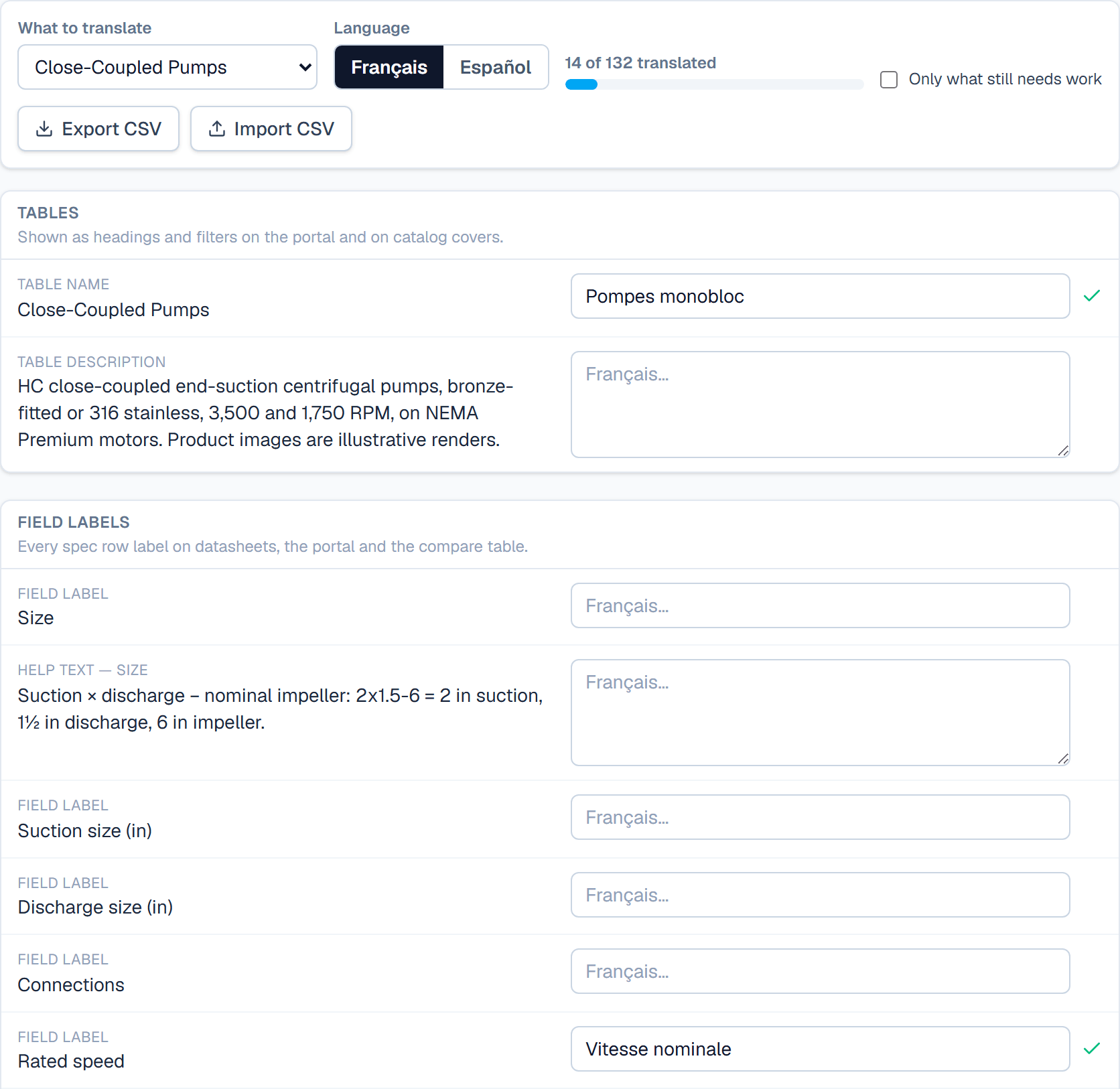
If someone later edits the English, the row says so. Documents keep printing your translation, so check it, then click into the box and out again to save it and clear the flag.
Generate in another language
- For a catalog or a whole table's sheets, click Export in the table's grid. For one record, click Spec sheet on its record page.
- Under PDF language, or Language on a record, pick Français or Español.
- Click the document you want under Generate.
Each language is a separate PDF. A French catalog sits beside the English one, generating French again replaces only the French one, and the menus list each by language, such as Catalog PDF · Français.
The default language
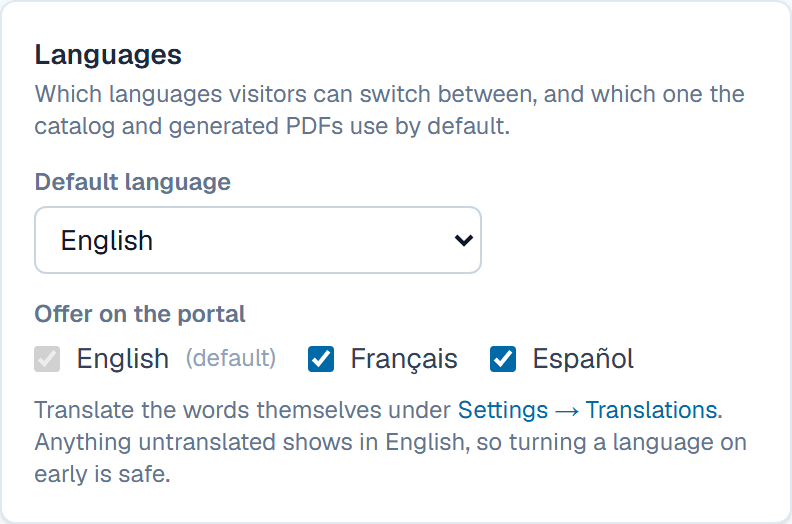
Default language in the generate menus means your workspace's default, which is also the language the portal opens in. An Admin sets it on Portal, under Languages. A new choice saves as soon as you pick it.
Related
| How-to | Print a catalog and set your branding |
| How-to | Generate a spec sheet PDF |
| How-to | Design a template |
| How-to | Turn the portal on and choose what customers see |