ContentsRecords & the grid
Records & the grid
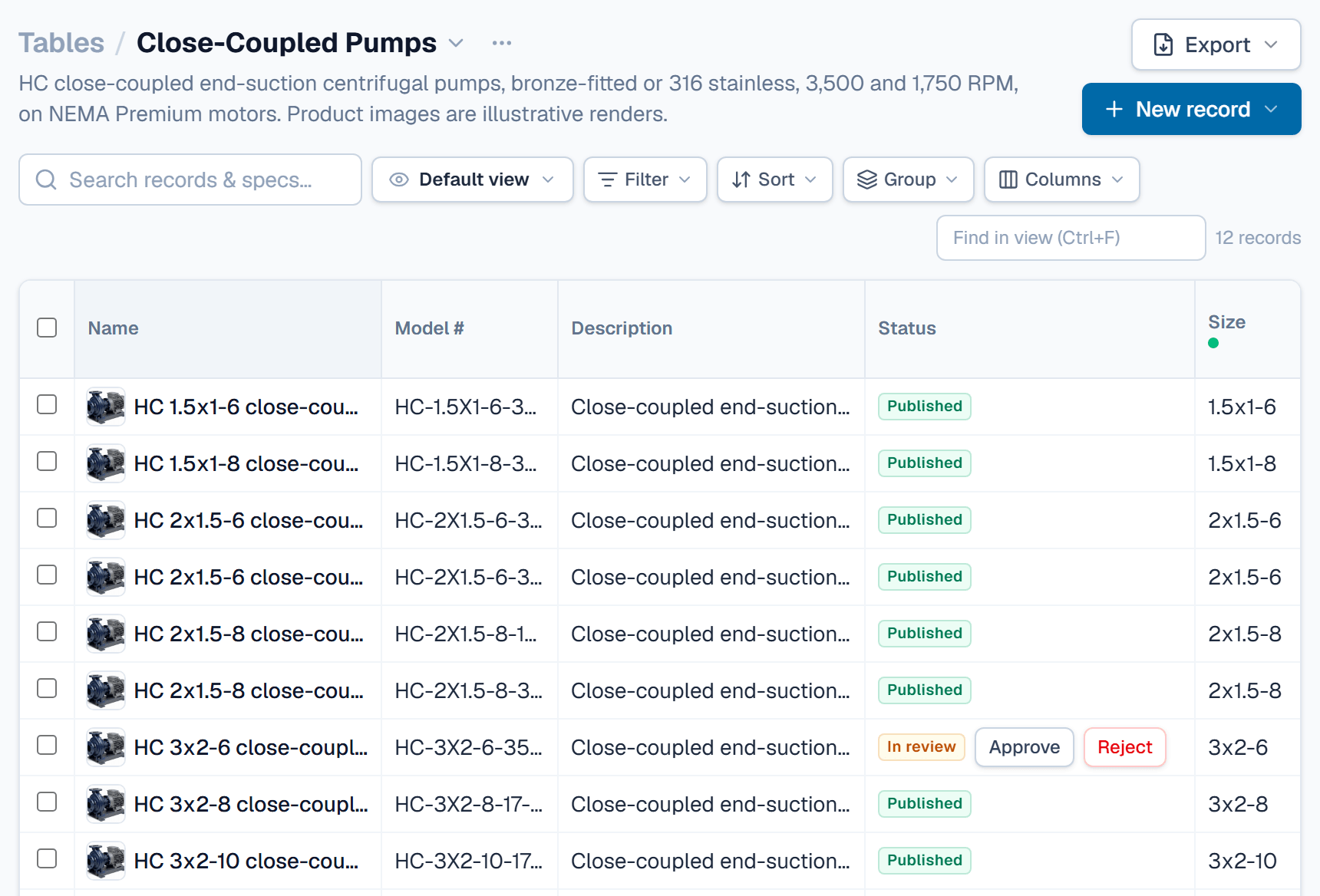
Records are your products, one row each: edit them in the grid, save views, tag them, act in bulk and restore from the trash.
What to know first
One row per product
Drafts take edits
Views keep a layout
Trash before delete
In this topic
- How-toPaste from a spreadsheetCopy cells in Excel and paste them into the grid to fill many records at once; lines past the last row become new drafts.4 min
- How-toSave a view for your teamKeep a table's filters, sorts, grouping and columns under a name, for yourself or for everyone, and switch to it in one click.3 min
- How-toAttach files and photosKeep photos, drawings, CAD files and certificates on the record they describe, one record at a time or one file to many records.4 min
Where you see it
Open Tables and click a table. Its grid has a search box, the view menu, Filter, Sort, Group and Columns. Click a cell and type to edit it.
Tick rows to bring up the bulk bar: Set field, Tag, the review actions and Move to trash, as your role allows. Hover a row and click its expand icon to open the record page, with Specifications, Comments and History. Trash sits in the Table options menu beside the table name.
Activity lists changes across the organization. The tag list lives on Tags, under Settings.
An example
A conveyor maker keeps one record per belt width, from 18 in to 48 in. Add a Filter of Belt width > 24, then Sort by Max belt speed, highest first. The grid lists 48 in at 700 ft/min, then 36 in and 30 in. Choose Save as new view… in the view menu to keep it as Wide belts.
FAQ
Why can't I type in a cell?
Only Draft records accept edits. A Published record goes back with Return to draft; a record In review goes back when a reviewer clicks Reject. Only Admin and Engineering edit records. Calculated values and values from linked records can't be typed.
Who sees a view I save?
The Save view dialog asks Who can see it? A new view is yours alone unless you pick Everyone in the organization, which needs the Admin role, or Engineering with Confidential visibility. Deleting a view never changes record data.
How do I get a trashed record back?
Open Trash from the Table options menu and click Restore. The record comes back as it was, with its values, history, curves and links. Admin and Engineering can restore. Only an Admin can Delete forever or Empty trash.
How far back does a record's history go?
History on the record page lists each field change, with who made it and when. On a draft, Restore puts an old value back as a new change. History covers 30 days on Starter, 365 days on Growth and all time on Professional. Older changes are hidden, not deleted.
Related
| Concept | Tables & fields |
| How-to | Import a spreadsheet |
| How-to | Send a record for review, approve, publish |
| How-to | Generate a spec sheet PDF |