ContentsExport your whole organization
Export your whole organization
Download every table, record and stored value as one Excel workbook, with sheets for links, files, documents and inquiries.
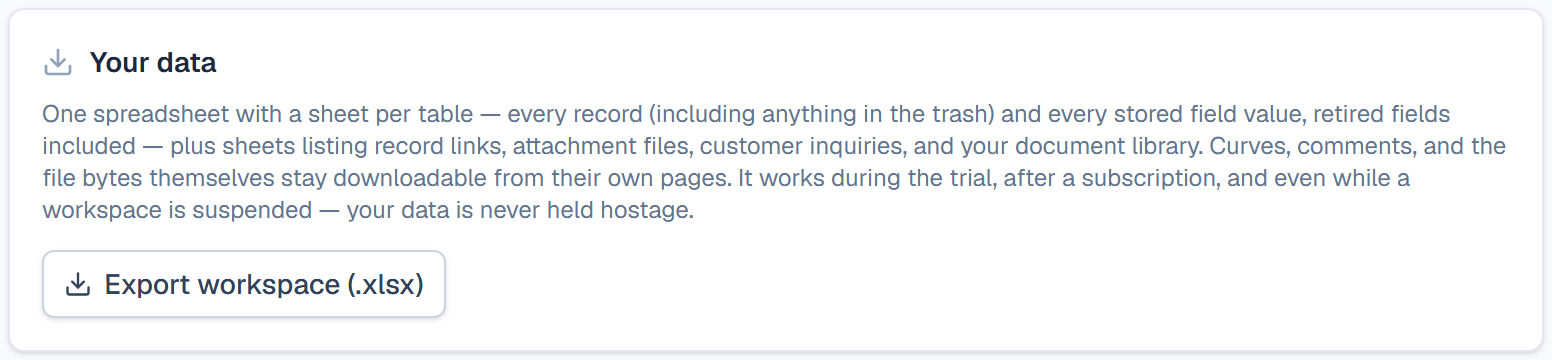
Export your organization when you want a backup on your own drive, need your catalog in another system, or decide to leave. One click gives a single .xlsx workbook with every table and every stored value. The export works during the trial, after a subscription ends and while the workspace is read-only, so your data is always yours to take.
What the workbook holds
- One sheet per table. Each row is a record, trashed ones included, with Name, Model Number, SKU, Description and Status, then one column per field. Retired fields come too, marked (retired). Calculated fields give their current values.
- Each number is in its field's own unit, and the column header gives only the field's name. Note the units before another system reads the file.
- Four more sheets: Links lists which record links to which. Attachments lists each file's name, type and size. Documents lists your document library, and Inquiries the questions that came through the portal.
Some things stay out. The files themselves, curves and comments download from their own pages. Lookups and rollups have no column, because they repeat values that are already exported in the table they come from.
Before you start
You need the Admin role. Other roles see Only an admin can export the workspace in place of the button.
Export
- Open Settings, then Billing.
- Under Your data, click Export workspace (.xlsx).
- Save the file. Its name starts with
speclatch-export-.
What happens after
The workbook opens in Excel or any other spreadsheet program. To bring edited values back, copy one table's sheet into a file of its own, because an import reads only a file's first sheet. Then follow Update existing records from a file: the headers are field names, so the columns map themselves.
Related
| Concept | Import & export |
| How-to | Import a spreadsheet |
| Concept | Members, settings & billing |