ContentsCreate a table and its fields
Create a table and its fields
Name a new table, then add its fields from the field type gallery: pick each field's type, unit and who sees it.
TopicTables & fields
TypeHow-to
WhoAdminEngineering
PlanEvery plan
Time10 min
Verified11 Nov 2026
Before you start
- You need the Admin role, or Engineering with Confidential visibility. Other members don't see New table.
- List the specs you track for one kind of product, with the unit of each.
- Decide which specs customers may see. Each field gets its tier when you create it.
The example builds a Pressure Gauges table.
Steps
- Open Tables and click New table. The Fields page opens with the cursor in the New table name box.
- Type the name, such as Pressure Gauges, and press Enter. The table joins the Tables list on the left.
- Click the new table in that list, then click Add field.
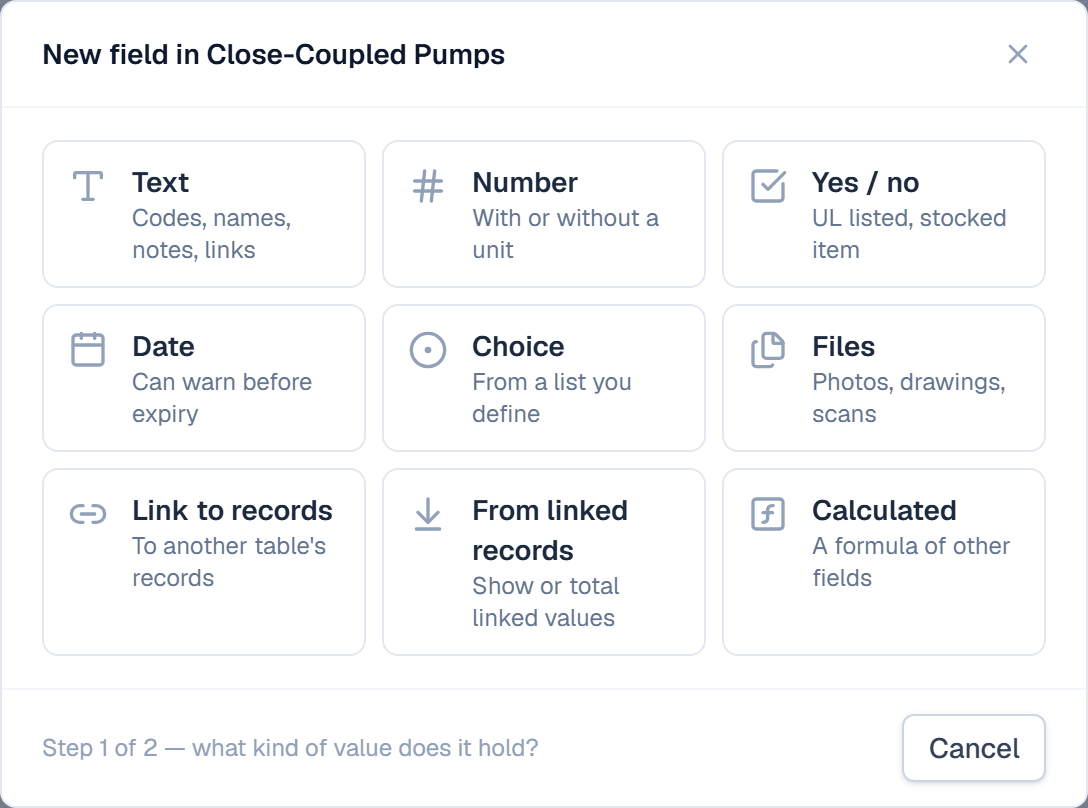
- Pick a tile in the gallery. Number holds a value with or without a unit; Choice holds options from a list you define.
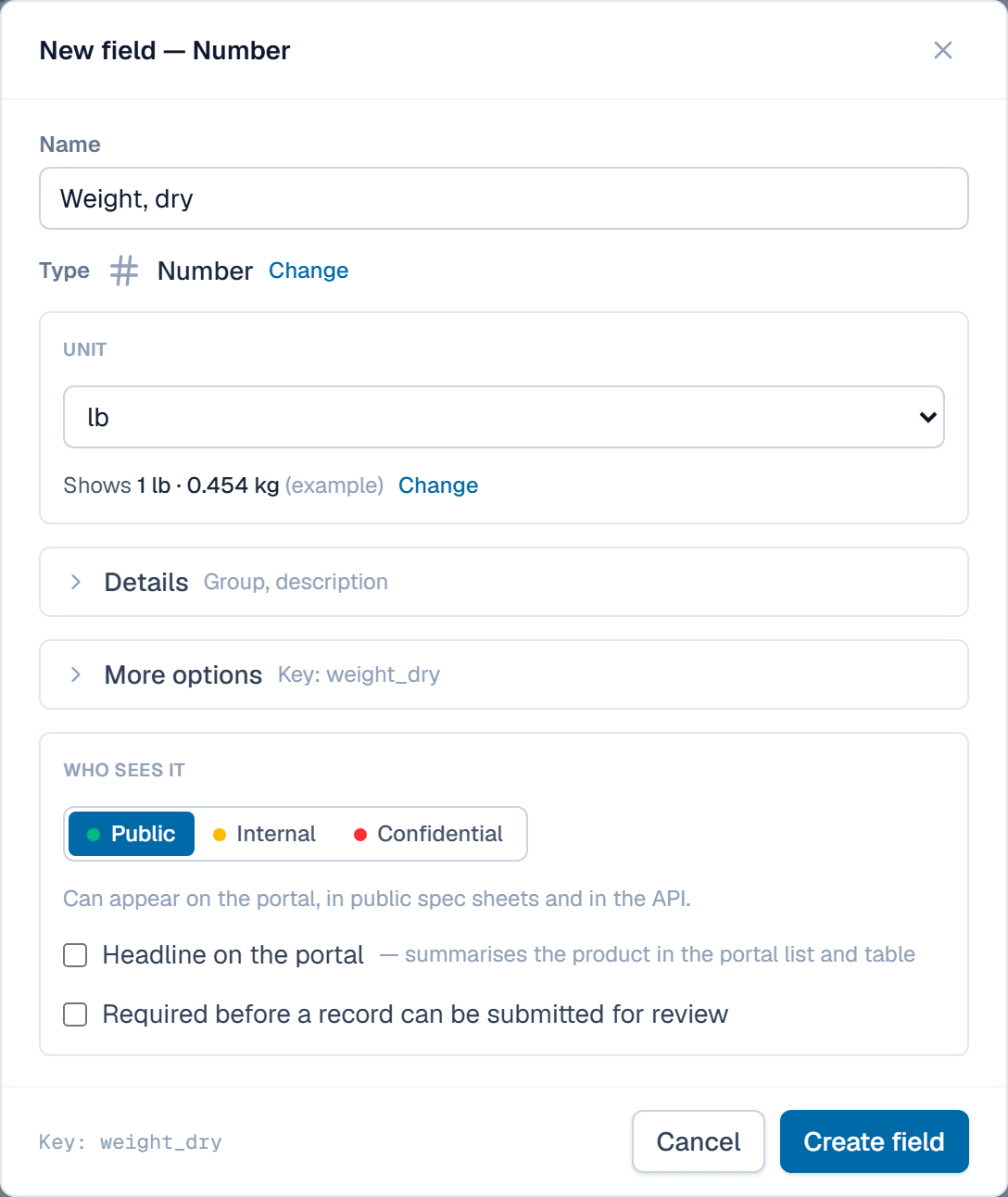
- Type the field's Name, such as "Range, high end". For a Number, pick its Unit, such as psi, or None — a plain number.
- Under Who sees it, pick the field's tier. New fields start as Internal.
- Tick Required before a record can be submitted for review if every record needs a value. Click Create field.
- Click Add field again for each spec. Use Move up and Move down on a row to set the order.
What happens after
The table shows on Tables with its field count, and every record you add gets these fields. Once a record holds a value in a field, that field's type is locked. Next, fill the table from the spreadsheet you use today: import a spreadsheet.
Related
| Concept | Tables & fields |
| How-to | Import a spreadsheet |
| How-to | Set a field's confidentiality tier |
| How-to | Give fields units and write your first formula |