ContentsSend a record for review, approve, publish
Send a record for review, approve, publish
Submit a finished record, then approve it from the review queue or the record page, which publishes it in the same step.
Before you start
- To submit, you need the Admin or Engineering role. To approve or reject, you need Admin or Marketing.
- The record is Draft. New records start there.
- Fill in the required fields. By default, SpecLatch refuses to submit a record with an empty required field or a value that breaks a field's rule. The message names the fields.
Steps
-
In the table's grid, click the Open record page icon at the end of the record's row. The header shows its status.
-
Click Submit for review. The record becomes In review and is locked for editing.

A record that is ready goes to review from its header. -
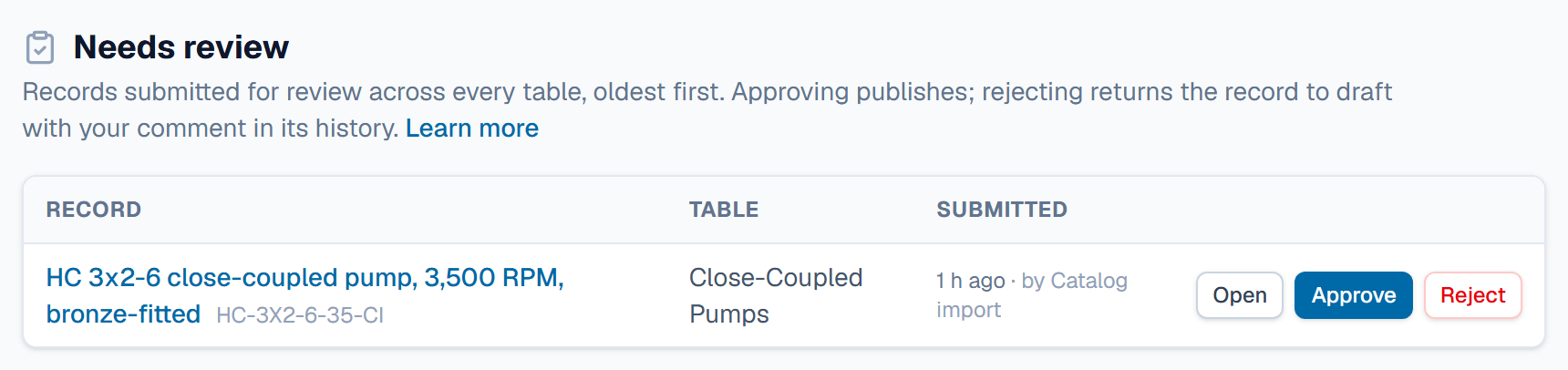
As the reviewer, open Needs review. It lists every record that is In review, oldest first.
-
Click Open to check the record's fields, comments and history.
-
To publish, click Approve & publish on the record page, or Approve in the queue.
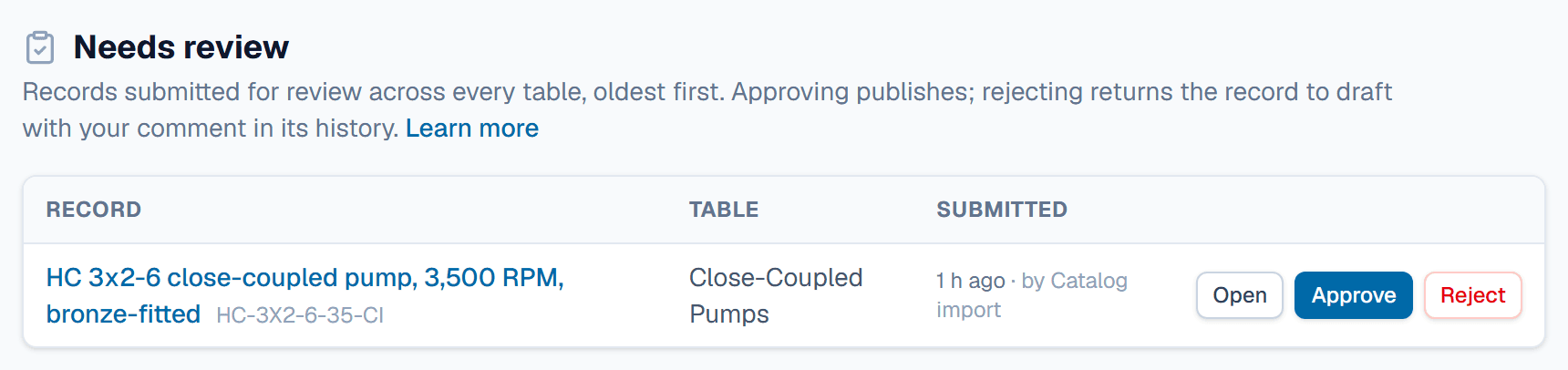
Approve publishes the record; Reject sends it back with your comment. -
To send it back, click Reject, add a comment, and confirm. The record returns to Draft with your comment in its History.

What happens after
Approving sets the record to Published. It then shows on the portal if its table is in the catalog, and to Public API keys. The member who submitted it gets a notification, with your comment if you rejected it. An Admin can turn on Regenerate a record's spec sheet when it's published under Automations. The record's default spec sheet is then generated again at the moment of approval.
Related
| Concept | Confidentiality & review |
| How-to | Set a field's confidentiality tier |
| Concept | Records & the grid |