ContentsBuilt-in functions, with examples
Built-in functions, with examples
Every function a formula can call without defining it, from if() and round() to num(), qty() and lookup(), with worked examples in real units.
Real formulas need more than + - * / ^: a choice between two values, a test pressure rounded up to the next 25 psi, the lower of two ratings. The built-in functions cover those, and every formula can call them without defining anything. The table lists them all; the sections after it work through each family with an example in real units. Click Try it on an example to change its inputs and watch the result follow. How formulas work covers the rules they follow.
On this page: Where you find them · Every built-in function · Tests and choices · Rounding · Square roots and powers · Smallest, largest, first filled · Straight lines · Angles and pi · Units: num and qty · Reference tables: lookup
Where you find them
- In the formula editor, Insert lists them under Math. Picking one types its name and parentheses, with the cursor inside.
- You can also type the first letters of a name, such as
coa, and press Enter or Tab to takecoalesce(). - Inside the parentheses, the line under the box shows the call and highlights the value you're on, so you always know which input comes next.
- On Functions, the Built in row at the end of the list opens the same table as below.
Anyone can open Functions; Admin and Engineering members write formulas.
Every built-in function
| if(test, then, else) | The value of "then" when the test is true, else the last value, e.g. if(pressure > qty(1000, "psi"), 1.5, 2). Add pairs for bands: if(r < 0.4, "Pass", r < 0.8, "Check", "Fail") — the first true test wins. Tests compare with < <= > >= = <>; a choice compares to a label in quotes (material = "316 SS"). |
| and(test, test, …) | True when every test is true. |
| or(test, test, …) | True when at least one test is true. |
| not(test) | True when the test is false, e.g. not(ul_listed) for a Yes/No property. |
| lookup(table, x) | Reads a reference table (Data model → Reference tables): lookup(allowable_stress, temperature) interpolates between rows; lookup(flange_rating, flange_class, temperature) matches the choice first. Name the column in quotes when the table has several: lookup(steel, t, "modulus"). Outside the rows the value is blank. |
| num(x, "in") | Reads a unit-aware value as a plain number in the unit you name. Use it for formulas whose units can't be stored, like areas or empirical constants. |
| qty(x, "ft") | Gives a plain number a unit, so the result can be stored as a length, a flow, a pressure… |
| min(a, b, …) | The smallest value. All values must be the same kind. |
| max(a, b, …) | The largest value. All values must be the same kind. |
| coalesce(a, b, …) | The first value that isn't blank, e.g. min(p_well, coalesce(p_flange, p_well)) when only some records have a flange. All values must be the same kind. |
| abs(x) | Absolute value. Keeps the unit. |
| interpolate(x, x1, y1, x2, y2) | Straight line through (x1, y1) and (x2, y2), read at x. The x values share a kind, the y values share a kind. |
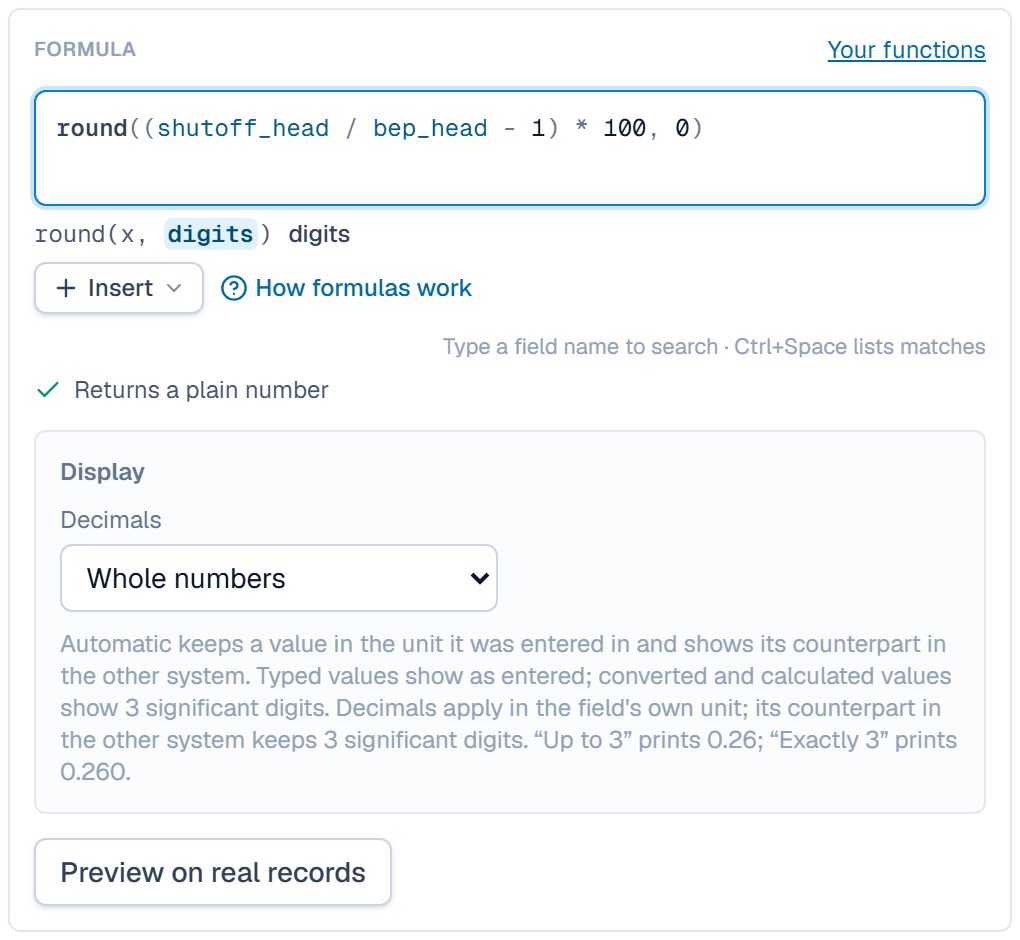
| round(x, digits) | Rounds a plain number to a number of decimals (0 if omitted; −1 rounds to tens). |
| ceil(x, step) | Rounds a plain number UP to a multiple of step (1 if omitted), e.g. the next standard size. |
| floor(x, step) | Rounds a plain number DOWN to a multiple of step (1 if omitted). |
| sqrt(x) | Square root of a plain number. |
| sin(angle) | Sine. The angle is in degrees: a plain number or an angle field. |
| cos(angle) | Cosine, angle in degrees. |
| tan(angle) | Tangent, angle in degrees. |
| asin(x) | Arcsine, in degrees. |
| acos(x) | Arccosine, in degrees. |
| atan(x) | Arctangent, in degrees (e.g. an incline from rise ÷ run). |
| pi() | π = 3.14159… |
Tests and choices
if(), and(), or() and not() turn conditions into values, so a rule from a standard or a datasheet becomes part of the formula.
range_max=300 psirange_max * if(range_max <= qty(1000, "psi"), 2, 1.5)
Up to 1,000 psi the proof pressure is twice the upper range limit; above that, 1.5 times.
range_max=3,000 psi→4,500 psiA Yes / no field works as a test by itself: and(pressure_rating >= qty(200, "psi"), dead_end_full_rating) needs both the rating and the tick. and() is false as soon as one test is false, even when another input is blank, and or() is true as soon as one test is true.
Rounding
round(), ceil() and floor() take plain numbers. To round a value with a unit, read it with num() and give the unit back with qty(), because rounding to 25 means something different in psi and in bar.
pressure_rating=275 psiqty(ceil(num(pressure_rating, "psi") * 1.5, 25), "psi")
The shell test is 1.5 times the rating, rounded up to the next 25 psi: 1.5 × 275 is 412.5, so 425.
pressure_rating=150 psi→225 psiA ratio of two values of the same kind is already a plain number, so round() takes it directly: round(max_bhp / std_motor_hp * 100, 0) gives a motor loading of 104 % for a pump drawing 5.22 HP on a 5 HP motor.
A negative number of digits rounds to tens or hundreds: round(1234, -1) is 1230. Halves round away from zero, so 2.5 becomes 3, and floor(2.6, 0.25) is 2.5.
Square roots and powers
sqrt() and ^ work on plain numbers, so read values with a unit through num() first.
cv_rated=380pressure_drop=4 psisg=1qty(cv_rated * sqrt(num(pressure_drop, "psi") / sg), "GPM")
sg is the specific gravity. Flow grows with the square root of the drop, so 9 psi gives 1.5 times the flow at 4 psi.
pressure_drop=9 psi→1,140 GPMThe same valve's resistance coefficient uses a fourth power: round(891 * num(pipe_id, "in") ^ 4 / cv_rated ^ 2, 3) gives K = 0.113 for a 2.067 in reference pipe.
sqrt() of a negative number leaves the result blank, with the reason.
Smallest, largest, first filled
min() and max() compare values of one kind, in any mix of units. coalesce() gives the first value that isn't blank, so a measured value can replace a catalog value as soon as someone enters it.
body_rating=300 psiflange_rating=19.6 barmin(body_rating, flange_rating)
The bar value converts before the comparison, so the lower rating wins whatever unit each field stores.
coalesce(measured_weight, catalog_weight) gives the catalog weight, such as 42 lb, until someone enters a measured one. It also works on choices, such as coalesce(seal_override, seal_standard).
Straight lines
interpolate(x, x1, y1, x2, y2) reads the straight line through two points at x. The x values share a kind, and so do the y values.
test_pressure=75 psirange_min=0 psirange_max=300 psiinterpolate(test_pressure, range_min, qty(4, "mA"), range_max, qty(20, "mA"))
The line continues past the two points, which is why 400 psi gives more than 20 mA. A reference table read with lookup() stays blank outside its rows instead.
test_pressure=400 psi→25.3 mAAngles and pi
sin(), cos() and tan() take an angle in degrees: an angle field or a plain number. asin(), acos() and atan() give degrees back, and pi() takes no values.
conveyor_length=50 ftincline=15 °conveyor_length * sin(incline)
sin() reads the angle in degrees, so an angle field needs no conversion.
incline=30 °→25 ftpi() * pulley_dia gives a 12 in pulley's circumference, 37.7 in (958 mm). The other way round, qty(atan(rise / run), "°") turns a 10 ft rise over 40 ft into an angle of about 14°.
Units: num and qty
num(x, "unit") reads a value with a unit as a plain number in the unit you name, and qty(x, "unit") gives a plain number a unit. Use them for engineering formulas whose constants assume particular units, so the formula stays right whatever unit each field stores.
pipe_id=2.067 inqty(2.448 * num(pipe_id, "in") ^ 2 * 10, "GPM")
The constant 2.448 assumes inches and gives gpm, so num() reads the diameter in inches and qty() makes the result a flow. A diameter stored in mm gives the same answer.
pipe_id=52.5 mm→105 GPMThe same pattern gives a conveyor's power to lift material: qty(num(capacity, "TPH") * num(lift, "ft") / 990, "HP") is 2.53 HP for 250 TPH up 10 ft.
num() on a plain number, or qty() on a value that already has a unit, doesn't save, and the message says which one to use.
Reference tables: lookup
lookup(table, x) reads a table from Reference tables, such as motor efficiencies from a standard. Pass the inputs in the table's order. A choice input matches a row's label exactly. A number input converts to the table's unit, then reads between rows on a straight line.
poles=4-polerated_power=7.5 kWlookup(motor_efficiency, poles, rated_power)
The table lists 91.7 at 10 HP and 92.4 at 15 HP for 4-pole motors. 7.5 kW is 10.06 HP, just past the 10 HP row.
rated_power=12.5 HP→92.1Outside the rows, the result stays blank with the reason. In a table of ball valve openings that ends at 90°, a 95° opening gives a blank, and the reason reads 95 ° is above Ball valve inherent characteristic (up to 90 °). A label with no row is blank too.
When a table has several output columns, add the column's key or label in quotes last, such as lookup(motor_efficiency, poles, rated_power, "efficiency"). lookup() works in field formulas and calculated curve lines, but not inside your own functions.
Related
| Reference | How formulas work |
| How-to | Define a reusable function |
| How-to | Give fields units and write your first formula |