ContentsTables & fields
Tables & fields
A table holds one kind of product; its fields are the columns, each with a type, a key and a visibility tier.
What to know first
One table per kind of product
Fields are the columns
Four built-in columns
Links join tables
In this topic
- How-toCreate a table and its fieldsName a new table, then add its fields from the field type gallery: pick each field's type, unit and who sees it.10 min
- ReferenceField typesThe nine tiles of the field type gallery: what each field holds, its options, where its values show and whether it imports.8 min
- How-toLink two tables, add lookups and rollupsConnect records in two tables with a link field, then show a linked record's value or combine values across several linked records.8 min
Where you see it
Tables lists every table with its record count, field count and last edit. Admin and Engineering members see New table.
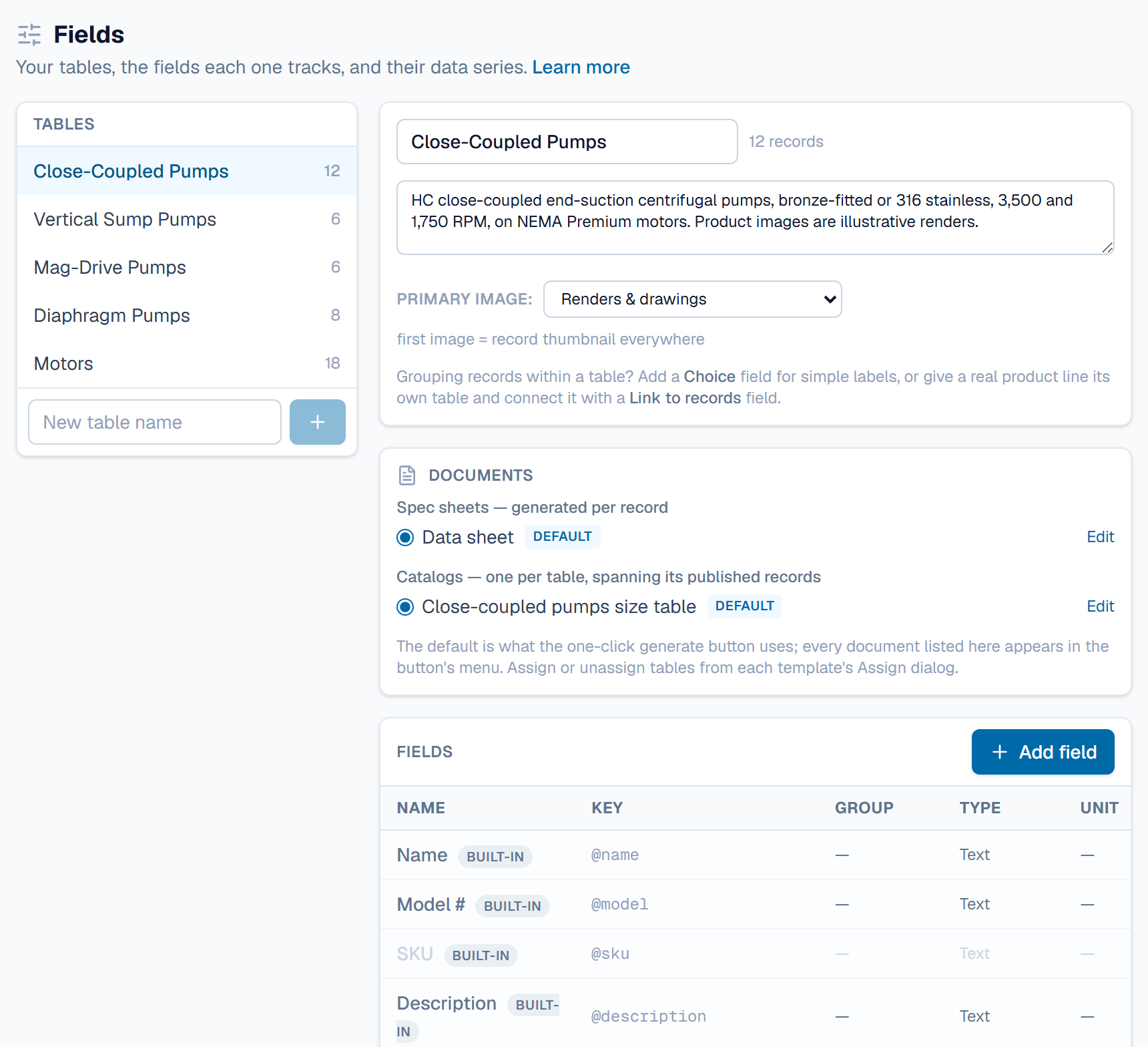
Fields, under Data model, is where Admin and Engineering members build tables. It lists tables on the left and the chosen table's fields on the right. The Table options menu in a grid links here too.
An example
A Flanged Ball Valves table might sort its fields into seven groups, from Size & materials to Commercial. Nominal size (NPS) is a Choice field, ½ to 8. Weight, bare valve is a Number in lb, so 5 lb also shows as 2.27 kg. Kv, full open is Calculated from cv_rated * 0.865: a Cv of 26 gives a Kv of 22. Standard actuator is a Link to records into the Pneumatic Actuators table.
FAQ
Who can change a table's fields?
Admin members, and Engineering members with Confidential visibility, because building a table reads every field's values. Other members see a no-access message on Fields and work with the records in the grid. Only an Admin deletes a table.
Can I change a field's type later?
Yes, until a record holds a value in that field. After that the type is locked: retire the field and create a new one. The field's key can't change once the field exists, though its name can.
What happens when I remove a field?
An empty field is deleted. A field that holds values is retired instead: it leaves the grid and the record page, and its data is kept. Tick Show retired to list it, then use its restore button to bring it back.
Should I use a Choice field or a separate table?
Use a Choice field for simple labels, such as a seat material. Give a real product line its own table and connect it with a Link to records field. Links let one record point to a full record in the other table.
Can I delete a table?
Delete table appears only while the table holds no records, trashed records included. Restore and move them, or empty the trash, first. Link fields in other tables that point to it must go too.
Related
| How-to | Create a table and its fields |
| Concept | Records & the grid |
| Concept | Units & formulas |
| How-to | Import a spreadsheet |