
Units & calculations
Give every number its unit
Every value in SpecLatch can carry a physical unit. That one idea removes a whole class of catalog errors. Units convert instead of being retyped, formulas are checked before they save, and the metric and imperial spec sheets always agree because they come from the same number.
One stored value, shown the way each place needs it
Drag the torque
GX-240 Gearmotor
Published240N·m
Typed once, stored in N·m. Nothing else is stored.
The grid
Both systems in every cell.
240 N·m177 lb·ftA spec sheet
This template leads with imperial.
177 lb·ft (240 N·m)PDFThe portal
Each visitor picks a unit.
2,124 in·lbThe API
The number, its unit and both renderings.
"value": 240, "unit": "N·m",
"dual": { "imperial": { "value": 177.015, "unit": "lb·ft" } }
- A display unit per fieldImperial shows lb·ft, metric shows N·m, or pick another for either side.
- Inches as fractions1.5 in prints as 1-1/2 in when a field asks for it.
- As many decimals as you set“Up to 3” prints 0.26. “Exactly 3” prints 0.260.
- Temperature differencesA rise of 45 °F is a rise of 25 °C, where the temperature 45 °F is 7.2 °C.
Store once, display both systems
A unit-aware field stores one number in the unit you choose and displays it in any compatible unit: per grid view, per document template, per portal visitor. Showing 240 N·m next to 177 lb·ft is a display setting. There is no second column to maintain.
- Pressure, flow, power, torque, temperature, length, and more
- Metric and imperial spec sheets from the same record, one setting per template
- A Units panel on your public portal: visitors pick a unit per quantity, starting from Imperial or Metric
Formulas that check their units
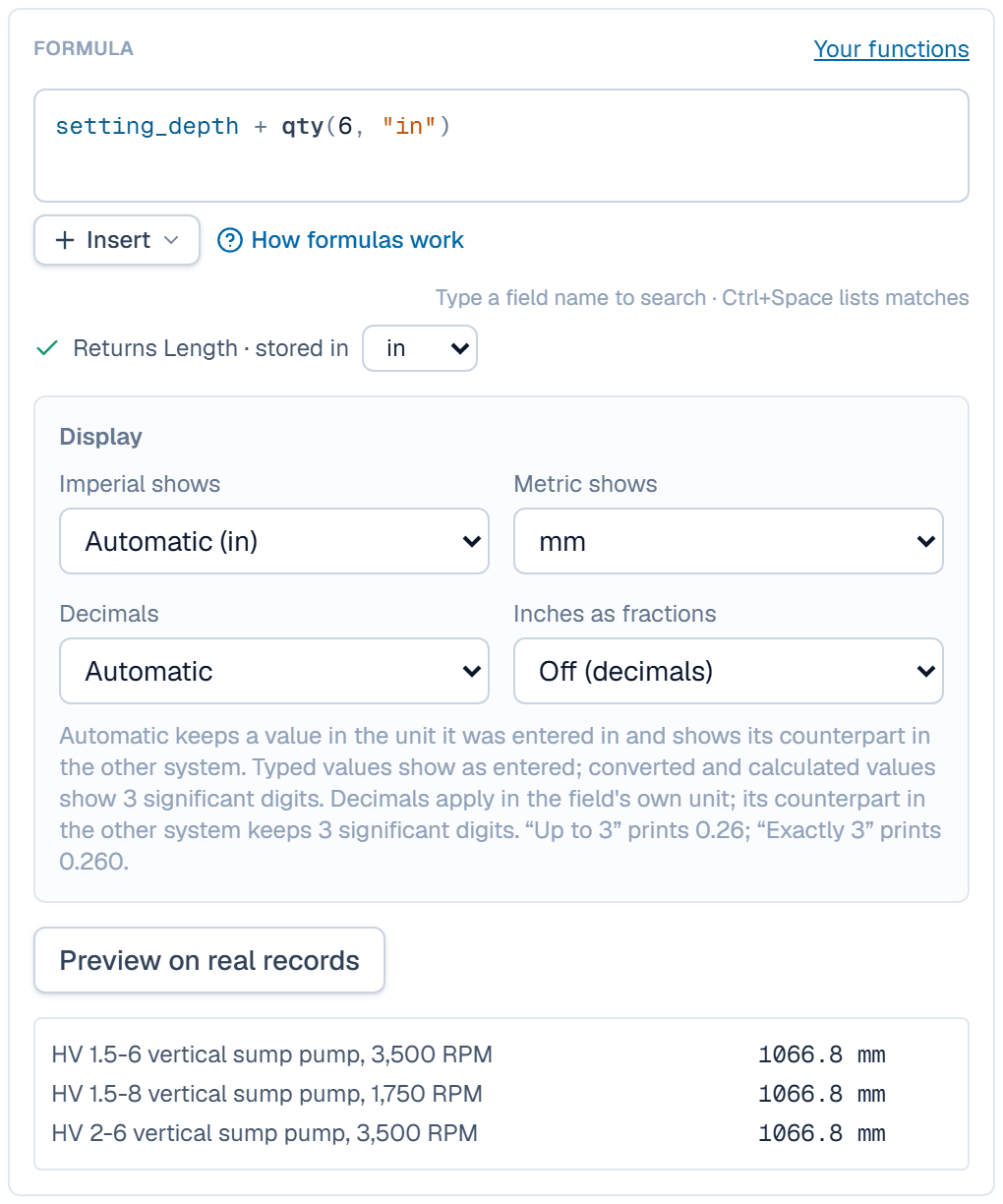
A calculated field is a formula: built-in math, your own functions, and the fields it reads. Every formula is checked for units before it saves. Adding a pressure to a temperature is rejected, and the result takes the kind of value its inputs imply. When an input changes, every result that depends on it recomputes.
- Built-in math and your own functions, called from any formula
- Chained calculations: one field's result feeds the next
- A formula with a unit mistake is rejected when you define it, long before it reaches print
Rollups and lookups across tables
A series can summarize its models, such as the torque range of a gearmotor line or the size span of a valve run, computed live from the records underneath. Lookups pull a value from a linked record, so shared data lives in one place.
- MIN, MAX, RANGE, COUNT and more, per series
- Lookups through linked records, up to two links away
- Rollups print on documents like any other field
Performance curves
Define the curve axes once per table (head against flow, torque against speed) and each record carries its own points. A line can also be calculated: from a formula, a reference table, or another curve. Curves appear on the record page and print on generated documents.
- Unit-aware axes with dual-system display
- Charted on records, printed on spec sheets
- Multiple curves per record
Learn it in the guide
Units and a first formula, step by step
- Units & formulasGive number fields units, show values in imperial and metric, and compute fields with formulas that check units before they save.Read it · 5 min
- Give fields units and write your first formulaGive a number field a unit, add a Calculated field, write a formula that checks units, and see the result in both systems.Read it · 10 min
- Field typesThe nine tiles of the field type gallery: what each field holds, its options, where its values show and whether it imports.Read it · 8 min
See it speaking your industry's language
See it on your own catalog
Start a free trial and import one of your own product families. The fastest way to evaluate SpecLatch is on your own data.
30 days of Growth-plan features · no credit card required · your data exports any time