Formulas & functions
Formulas that check their own units
A calculated field is a formula. It reads the record's other fields, calls built-in math and the functions you define, looks values up in reference tables, and can answer with a verdict as well as a number. A unit mistake is refused in the editor, before it can reach a spec sheet. The playground below runs the same code as the app, so change anything in it.
Record · Pumps
Inputs
bep_flowbep_headReturns Power · stored in
Hydraulic power at best efficiency
4.35 HP
3.25 kW, from the same stored value
The formula calls a function this workspace defined. Switch the flow to m³/h or the head to metres: the function reads each input in its own unit, and the result does not move.
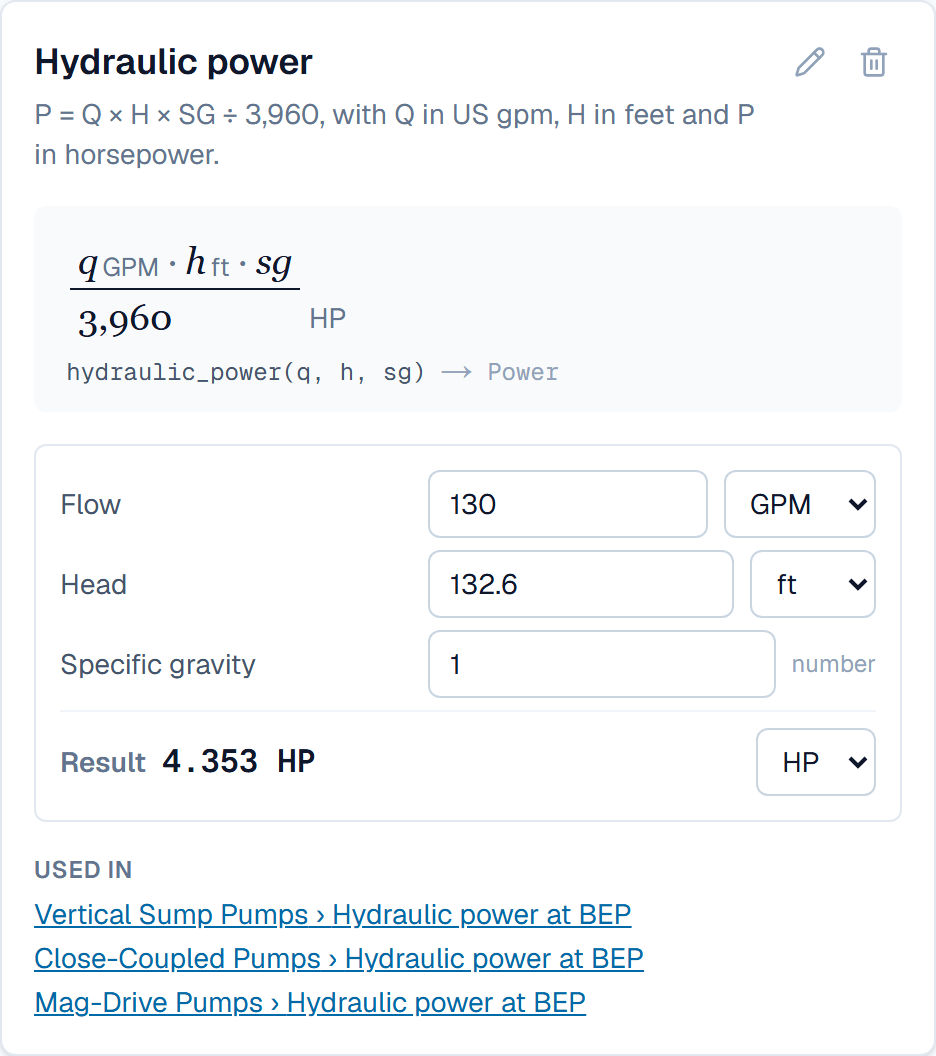
Your function, drawn as math
hydraulic_power(q, h, sg) → Power
Defined once on the Functions page, then called from any formula. Each input is checked by its kind: a flow where a flow is expected.
Computed in your browser by the same formula code the app runs. Nothing you type is sent anywhere.
One language for every calculation
Formulas use field keys, the usual operators, and 23 built-in functions. The built-ins are plain math, so they suit any trade. The checker follows the units through every step: multiply a flow by a head and it knows the result is neither, and asks you to say what it is.
- num() reads a value in the unit you name; qty() gives a result its unit
- round, ceil, floor, min, max, abs, sqrt and the trigonometry
- coalesce() supplies a fallback when an input is blank
A formula can return a verdict
if(), and() and or() let a formula choose. It can pick between two numbers, or return a label such as Pass or Check. A formula that returns labels becomes a choice field: it filters, prints, and translates like any other choice, and the editor lists the labels it can give.
- Several tests in one if(), read top to bottom
- Compare values that are stored in different units
- The verdict recomputes whenever an input changes
Reference tables
Some values come from a chart or a standard: a pressure rating by temperature, an efficiency by frame size. Paste the table from a spreadsheet once and lookup() reads it from any formula. Number inputs are interpolated between the two nearest rows, and a temperature typed in °C finds its place in a table kept in °F.
- Choice inputs match exactly; number inputs interpolate
- One table serves every record and every formula
- A value outside the table leaves the result blank, with the reason
Your own functions
The math of your trade belongs to you. Define a function once, with named inputs and the kind of value each one takes, and call it from any formula in the workspace. The Functions page draws it as math and gives it a calculator. Change the function later and SpecLatch tells you how many records it will recompute.
- Inputs are checked by kind: a flow where a flow is expected
- Drawn as math, with a live calculator beside it
- Each function lists the fields that use it
Learn it in the guide
Write a formula, then a function
- Give fields units and write your first formulaGive a number field a unit, add a Calculated field, write a formula that checks units, and see the result in both systems.Read it · 10 min
- How formulas workField keys and operators, unit checks, temperatures, tests and choices, linked records, reference tables, your own functions and curves, each with an example.Read it · 12 min
- Define a reusable functionWrite a calculation once, give it a name, and use it in any calculated field. When the math changes, you fix it in one place.Read it · 6 min
See it speaking your industry's language
See it on your own catalog
Start a free trial and import one of your own product families. The fastest way to evaluate SpecLatch is on your own data.
30 days of Growth-plan features · no credit card required · your data exports any time